Connected and Compromised: The Real Dangers Lurking on Public Wi-Fi at Airports, Hotels, and Coffee Shops
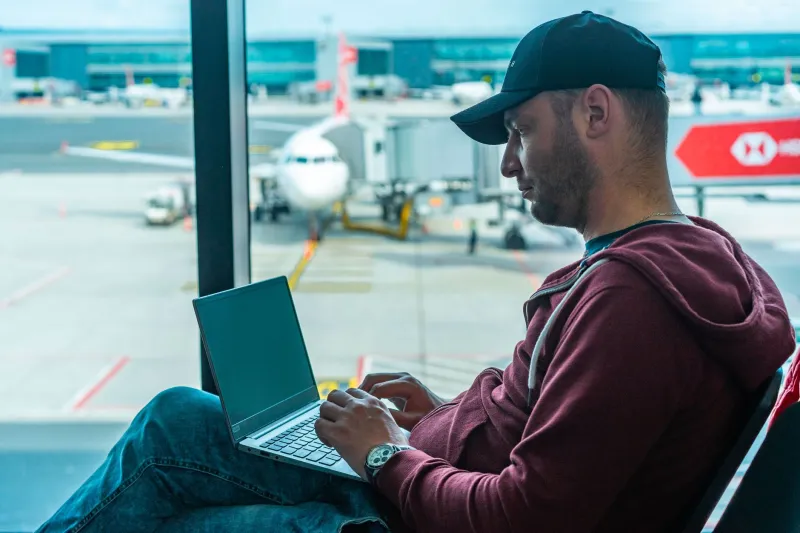
There is a moment every traveler knows well. You drop into a chair at your departure gate, pull out your phone, and scan the available Wi-Fi networks. One click, and you are online. It feels routine — even harmless. But that small, automatic gesture is one of the most exploited behaviors in modern cybersecurity, and the person sitting two rows behind you may already know it.
Public Wi-Fi is not merely inconvenient from a security standpoint. It is, in many cases, an active hunting ground. Airports, hotel lobbies, and coffee shops represent the three environments where American travelers are most likely to connect — and where cybercriminals most reliably set up shop. Understanding precisely why these locations are so dangerous is the first step toward protecting yourself.
Why Public Networks Are Structurally Vulnerable
A home Wi-Fi network is, by design, closed. You control who joins, you set the password, and your router is configured specifically for your household. Public networks operate on an entirely different model. They are open by necessity, serving dozens or hundreds of strangers simultaneously, with minimal authentication and often no encryption enforced at the network level.
This openness creates a fundamental problem: when data travels across an unencrypted network, any device on that same network can potentially observe it. This is not a flaw that network administrators overlooked — it is a structural characteristic of how shared wireless communication works. Attackers understand this architecture intimately, and they build their methods around it.
The Evil Twin: A Threat Sitting Right Next to You
One of the most effective and widely deployed attacks on public Wi-Fi is the evil twin hotspot. The concept is straightforward, and its simplicity is precisely what makes it so dangerous.
An attacker brings a laptop or a portable router to a public location — say, Terminal B at a major domestic airport — and creates a wireless network with a name nearly identical to the legitimate one. Where the airport broadcasts "ATL_Airport_WiFi," the attacker's device broadcasts "ATL_AirportWiFi" or "ATL_Airport_Free." Many travelers, scanning quickly and eager to connect, select the wrong network without a second thought.
Once connected to the evil twin, every piece of data the victim sends or receives passes through the attacker's device first. Login credentials, email content, banking session tokens, and even multi-factor authentication codes can be captured in real time. The victim's screen shows a perfectly functional internet connection. Nothing appears wrong. The theft is silent.
Hotel lobbies are particularly susceptible to this technique. Guests routinely ask front desk staff for the Wi-Fi name and then connect without verifying that the network they selected matches exactly. Coffee shops present a similar vulnerability — many do not display network names prominently, and customers frequently guess or select the strongest signal available.
Man-in-the-Middle Interception: Reading Your Data Mid-Flight
Even on a legitimate public network, a technique known as a man-in-the-middle (MITM) attack allows a skilled attacker to position themselves between your device and the websites or services you are communicating with.
In practice, this works by exploiting the way devices communicate on a shared network. Using a method called ARP spoofing, an attacker can convince other devices on the network that their machine is the router. Traffic intended for the internet routes through the attacker's system instead, where it can be read, recorded, or even modified before being passed along to its actual destination.
The consequences are severe. A traveler checking their bank balance at a hotel coffee station, logging into a work email account at an airport lounge, or completing a purchase on a shopping app while waiting for their flight may be transmitting that data directly through an attacker's device without any visible indication that something is wrong.
It is worth noting that HTTPS encryption does provide a meaningful layer of protection for many websites. However, not all sites and apps enforce it consistently, and certain MITM techniques can attempt to strip that encryption or exploit gaps in its implementation. Relying on HTTPS alone is not a sufficient defense.
The Behaviors That Put You at Risk
Beyond the technical mechanics, certain common behaviors dramatically increase a traveler's exposure on public networks:
- Auto-connecting to open networks. Most smartphones are configured to join known or open networks automatically. An evil twin that shares a name with a network your device has connected to previously may trigger an automatic connection with no user interaction at all.
- Conducting sensitive transactions on public Wi-Fi. Checking financial accounts, logging into work systems, or entering payment information while on a public network is high-risk behavior that many Americans engage in without hesitation.
- Ignoring certificate warnings. When a browser displays a security warning about a website's certificate, many users click through it rather than retreating. On a public network, that warning may indicate an active MITM attack.
- Leaving Bluetooth discoverable. While not directly related to Wi-Fi, leaving Bluetooth active in public spaces opens a parallel attack surface that sophisticated adversaries may exploit simultaneously.
A Concrete Checklist for Safer Connections
Recognizing the risk is useful. Having a repeatable set of behaviors to counter it is essential. Before your next trip to an airport, hotel, or coffee shop, adopt the following practices:
1. Use a VPN every time you connect to public Wi-Fi. A virtual private network encrypts all traffic between your device and the VPN server, rendering intercepted data unreadable to anyone observing the network. This single measure neutralizes the vast majority of passive interception and significantly raises the bar for MITM attacks. Enable your VPN before connecting to any public network, not after.
2. Verify network names with staff before connecting. At hotels and coffee shops, ask an employee for the exact network name and password. Do not select a network based on signal strength or a plausible-sounding name.
3. Disable auto-join for public networks. On both iOS and Android, you can configure your device to ask before joining open networks rather than connecting automatically. This one setting prevents evil twin attacks that rely on silent, automatic connections.
4. Keep Norton Mobile Security active on your devices. Norton's mobile protection suite includes features specifically designed for the threats travelers face. Its Safe Web technology flags dangerous sites and suspicious network behavior, while real-time threat detection monitors for anomalies that may indicate your connection has been compromised. Having that layer of active defense running before you ever open a browser is a meaningful advantage.
5. Avoid accessing financial or work accounts on public networks. If possible, defer sensitive transactions until you are on a trusted network. If urgency demands otherwise, use your cellular data connection instead — it is not immune to all threats, but it eliminates the shared-network exposure that makes public Wi-Fi so hazardous.
6. Update your devices and apps before traveling. Many MITM and malware delivery attacks exploit known software vulnerabilities. Fully patched devices are significantly harder targets.
7. Turn off Wi-Fi when you are not actively using it. A device that is not broadcasting a Wi-Fi radio cannot be silently enrolled in a malicious network.
The Threat Is Not Hypothetical
It can be tempting to treat public Wi-Fi risks as theoretical — the kind of thing that happens to other people in other places. The evidence does not support that comfort. Security researchers have repeatedly demonstrated these attacks in controlled environments using nothing more than widely available tools and modest technical knowledge. The barrier to entry for an attacker is low. The potential reward — access to credentials, financial data, and corporate systems — is high.
The next time you settle into a gate seat at O'Hare, check into a Marriott in downtown Chicago, or open your laptop at a Starbucks in midtown Manhattan, the network you connect to is not neutral territory. Treat it accordingly, and the risks become manageable. Ignore the warning signs, and you may not realize the cost until long after your flight has landed.