What Your Vehicle Knows and Who Can Ask: A Connected-Car Privacy and Security Review for 2026
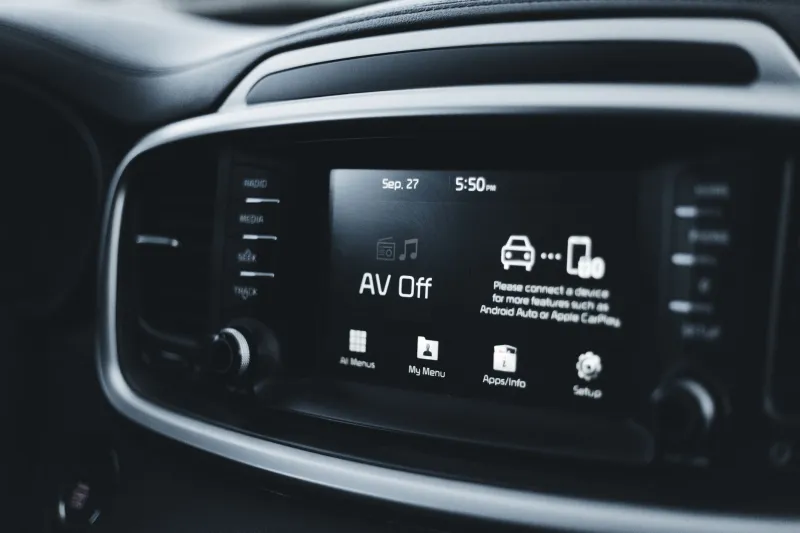
A new vehicle is often described as a computer on wheels, but that metaphor undersells the situation. A connected car is a smartphone with a license plate, a cabin, and a direct relationship with the manufacturer, the dealer, the insurer, and sometimes the lender. It knows where the driver has been, which phones have paired with it, and when the doors were unlocked. As of November 2026, the average US owner still tends to think of the car as a machine rather than a networked device. That gap between perception and reality is where privacy and security problems begin.
A networked device with a license plate
The data flows inside a modern vehicle are numerous and ordinary at the same time. Telematics systems report mileage, diagnostics, and location. Infotainment systems store paired phone contacts, call logs, and sometimes text messages. Companion apps can remote-start the engine, unlock doors, and show the vehicle's position. Over-the-air update systems receive software from the manufacturer. Insurance telematics programs may collect driving behavior. Dealership service systems may retain repair and contact records. None of this is inherently sinister. The issue is that each flow creates a record, and each record creates a question about who can access it and for how long.
Security questions follow the same map. A companion app account with a weak password is a potential key to a vehicle. A paired phone left in the system after a rental or a test drive can expose contacts. A vehicle sold or traded without a factory reset can carry personal data into the next owner's hands. A rental car returned without clearing paired devices can leave the next driver with someone else's digital footprint.
The companion app is a key
The manufacturer's companion app deserves the same scrutiny as a banking app. It should be protected by a strong, unique password and, where available, multi-factor authentication. Old vehicles, old accounts, and former household members should be removed from the account. App permissions should be reviewed so that location access is limited to the times it is actually needed. A vehicle app that tracks location continuously is useful for theft recovery and intrusive for everyday life; the owner should make that trade-off consciously.
App updates matter as well. A companion app is software, and software receives security patches. Enabling automatic updates on the phone is a simple control that many owners overlook because the app feels like an accessory rather than a security tool.
A US-focused checklist
For the account and app layer, confirm that the manufacturer account uses a unique password and multi-factor authentication. Remove former drivers and unused profiles. Review location, notification, and contact permissions. Check whether the app offers a valet or guest mode and learn how to use it before it is needed.
For the vehicle itself, pair only the phones that belong in the household. Delete old phones from the infotainment system, especially after a rental, a loaner, or a test drive. Review the vehicle's privacy settings, including data-sharing preferences for analytics, marketing, and insurance programs. Install over-the-air updates promptly and treat them as security updates, not just feature changes. Keep the key fobs away from the vehicle when not in use and be aware of relay attacks that extend keyless entry range.
For the dealership and service relationship, ask what data the dealer retains and whether it is shared with affiliates. Many US states now provide privacy rights that allow consumers to request access or deletion of personal information, and the dealer's privacy notice should explain how to exercise them. The owner does not need to read a legal treatise, but the notice should be located and saved.
Rental cars and valet keys
A rental car is a shared computer. Before returning it, delete the paired phone from the infotainment system, sign out of any manufacturer or rental app, and remove personal locations from navigation history if the system allows it. After picking one up, check whether previous users left devices paired and clear them before driving away.
Valet mode is not just a performance setting. It can limit access to the trunk, the infotainment system, and stored personal data. The owner should know where the setting lives and how to enable it. If the vehicle does not offer a valet mode, removing valuable items and paired devices before handing over the key remains sensible.
Before resale or trade-in
A factory reset is the minimum. It should remove paired phones, account links, navigation history, and stored profiles. The manufacturer account should be disconnected from the vehicle, and the companion app should be unlinked. The new owner should not inherit a digital key to the previous owner's life.
The connected car is a genuine convenience and a genuine data source. Treating it as a networked device does not require fear. It requires the same habits Americans already apply to phones and laptops: strong account security, deliberate permissions, prompt updates, and a clean handoff when the device changes hands.